
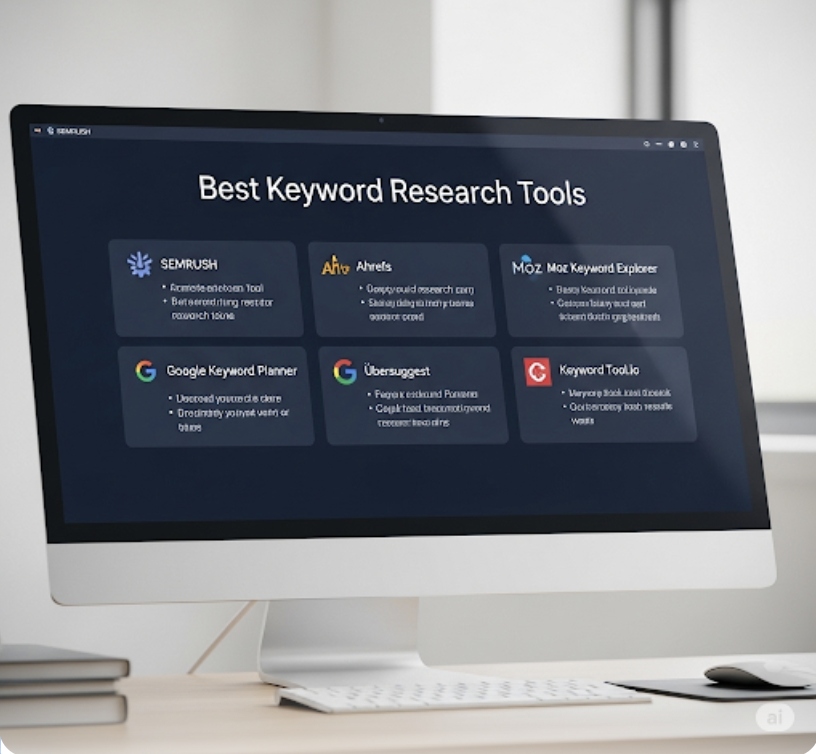
3 Best Keyword Research Tools
We may earn money or products from the companies mentioned in this post.
Hi there, and welcome!
If you’re looking for a simple way to find the best keywords for platforms like Google, YouTube, Bing, and more—you’re in the right place.
In this article, I’ll walk you through how Keyword Tool Dominator works, why it’s helpful, and how beginners (and pros) can use it to stand out online.
Looking for the Best Keyword Tools to Boost Your SEO?
You’re in the Right Place
If you want your blog or website to rank higher on Google, using the right keywords is a must. Without them, your content won’t reach the people searching for what you offer.
In this article, I’ll walk you through three of the best keyword research tools available today.
You’ll learn what each tool offers, how much they cost, and how they can help you uncover high-traffic, low-competition keywords for your SEO strategy.
I personally use Google Keyword Planner alongside Jaaxy to get both a broad overview and detailed keyword insights—especially since Keyword Planner is free.
Let’s take a closer look at what makes these tools stand out and how they can help you grow your online visibility.
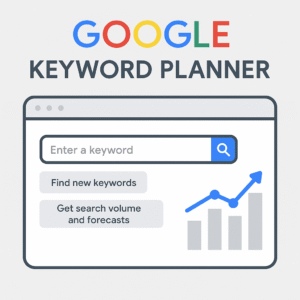
1. Google Keyword Planner
Google Keyword Planner (GKP) is a free tool that helps you find and research keywords for your website, blog, or online business.
Whether you’re writing blog posts, planning product pages, or building an SEO strategy, this tool gives you keyword ideas and insights to target the right audience.
Why Use It?
You can:
- Discover new keyword ideas related to your niche
- Analyze search volume and competition levels
- See estimated costs for paid advertising (even if you’re not running ads)
- Plan content with keywords that people are actually searching for
But There’s a Catch…
To use Google Keyword Planner, you’ll need a Google Ads (formerly AdWords) account. Don’t worry—it’s free to set up, and you don’t need to run an ad campaign to access the tool.
How to Get Started
- Go to ads.google.com
- Sign in or create a free account
- Enter your business details when prompted
- Skip the ad campaign setup (you can click “Switch to Expert Mode” and choose “Create an account without a campaign”)
- Once inside, click the wrench icon in the top menu
- Under the Planning section, select Keyword Planner
Two Powerful Tools Inside Keyword Planner
Once you’re in, you’ll see two options:
1. Discover New Keywords
This is the go-to tool for exploring fresh keyword ideas. Google will ask you to enter words or phrases related to your business—be smart here. The quality of your input affects the relevance of the keyword suggestions.
- You can start with simple terms like “weight loss,” “coffee,” or “budget travel”
- Add multiple keywords by separating them with commas
- If you’re selling something like cookies, you might enter terms like “low-carb cookies” or “gluten-free desserts”
The tool will then generate a long list of related keyword ideas, including data like:
- Monthly search volume
- Competition level
- Average cost-per-click (mainly for paid ads)
Even though it’s built for PPC advertisers, this tool is still super useful for SEO-focused keyword research.
2. Get Search Volume and Forecasts
This tool is more data-focused.
You can upload a list of keywords and see how they’re performing in terms of:
- Monthly search volume
- Competition
- Forecasted clicks (if you were to run ads)
A Quick Note About Google Ads Manager Accounts
If you’re using a manager account, make sure to select a specific managed account before accessing Keyword Planner. Once you’re logged in under the right account, navigate to the Keyword Planner tool under the Planning section.
Find Keywords with Google Planner
Once you’re inside the Keyword Planner, click on Keywords to start exploring.
There are two main ways to discover new keywords:
1. Keywords (Enter Words and Phrases)
Type in words or short phrases that describe your product or service. You can enter multiple terms—just separate them with commas or spaces.
Google will then generate keyword suggestions, trying its best to filter out anything unrelated to your website or niche.
Click “Get Results” to see your keyword list, including:
- Related keyword ideas
- Monthly search volume
- Competition
- Suggested bid prices (useful if you ever want to run ads)
This is a great way to build a list of keywords that match your goals. From here, you can filter, sort, and group keywords that are most relevant to your content or campaign.
2. Website (Scan a URL for Keywords)
You can also enter a website URL, and Google will scan the content and suggest relevant keywords based on that page. This is especially helpful if you want to:
- Analyze competitor pages
- Generate keyword ideas from a blog post or landing page
Just note: Google can’t pull keywords from hyperlinks or links alone—it needs actual on-page content.
What to Do With the Keywords You Find
You’ve got options! Once you have your keyword list, you can use it in two main ways:
Option 1: Save Keywords for Later
- Check the box next to any keywords you like
- Click “Saved Keywords” to group them for future use
- You’ll also get performance estimates like impressions, clicks, and cost (handy even for SEO planning)
Option 2: Add Keywords to an Ad Campaign
- Use the drop-down menus to assign keywords to an existing Campaign or Ad Group
- Choose the match type (broad, phrase, or exact match) based on how tightly you want to target those keywords
- This is more relevant if you’re actively running paid ads, but organizing by ad group can help you structure your keyword strategy either way
How to Use the “Search Volume and Forecasts” Tool
If you already have a list of keywords, this tool is perfect for checking their search performance.
Here’s how:
- Go back to Keyword Planner
- Click on “Search Volume and Forecasts”
- Type or paste your list of keywords into the search box
– OR –
Upload a CSV file using the “Upload” button
To upload correctly:
- Your file should include a column titled “Keyword”
- You can use Google’s template to also include campaign, location, and ad group info
Once uploaded:
- Click “Start” to run the forecast
- Google will show estimated clicks, impressions, costs, and more
📝 Note: If you’re logged into a Google Ads Manager Account, make sure to select a managed account first before accessing these tools.
Discover New Keywords

How to Find and Use Keywords Inside Google Keyword Planner
Once you’re inside the Keyword Planner, click on Keywords to start exploring.
There are two main ways to discover new keywords:
1. Keywords (Enter Words and Phrases)
Type in words or short phrases that describe your product or service. You can enter multiple terms—just separate them with commas or spaces.
Google will then generate keyword suggestions, trying its best to filter out anything unrelated to your website or niche.
Click “Get Results” to see your keyword list, including:
- Related keyword ideas
- Monthly search volume
- Competition
- Suggested bid prices (useful if you ever want to run ads)
This is a great way to build a list of keywords that match your goals. From here, you can filter, sort, and group keywords that are most relevant to your content or campaign.
2. Website (Scan a URL for Keywords)
You can also enter a website URL, and Google will scan the content and suggest relevant keywords based on that page. This is especially helpful if you want to:
- Analyze competitor pages
- Generate keyword ideas from a blog post or landing page
Just note: Google can’t pull keywords from hyperlinks or links alone—it needs actual on-page content.
What to Do With the Keywords You Find
You’ve got options! Once you have your keyword list, you can use it in two main ways:
Option 1: Save Keywords for Later
- Check the box next to any keywords you like
- Click “Saved Keywords” to group them for future use
- You’ll also get performance estimates like impressions, clicks, and cost (handy even for SEO planning)
Option 2: Add Keywords to an Ad Campaign
- Use the drop-down menus to assign keywords to an existing Campaign or Ad Group
- Choose the match type (broad, phrase, or exact match) based on how tightly you want to target those keywords
- This is more relevant if you’re actively running paid ads, but organizing by ad group can help you structure your keyword strategy either way

How to Use the “Search Volume and Forecasts” Tool
If you already have a list of keywords, this tool is perfect for checking their search performance.
Here’s how:
- Go back to Keyword Planner
- Click on “Search Volume and Forecasts”
- Type or paste your list of keywords into the search box
– OR –
Upload a CSV file using the “Upload” button
To upload correctly:
- Your file should include a column titled “Keyword”
- You can use Google’s template to also include campaign, location, and ad group info
Once uploaded:
- Click “Start” to run the forecast
- Google will show estimated clicks, impressions, costs, and more
📝 Note: If you’re logged into a Google Ads Manager Account, make sure to select a managed account first before accessing these tools.
How to Find and Use Keywords Inside Google Keyword Planner
Once you’re inside the Keyword Planner, click on Keywords to start exploring.
There are two main ways to discover new keywords:
1. Keywords (Enter Words and Phrases)
Type in words or short phrases that describe your product or service. You can enter multiple terms—just separate them with commas or spaces.
Google will then generate keyword suggestions, trying its best to filter out anything unrelated to your website or niche.
Click “Get Results” to see your keyword list, including:
- Related keyword ideas
- Monthly search volume
- Competition
- Suggested bid prices (useful if you ever want to run ads)
This is a great way to build a list of keywords that match your goals. From here, you can filter, sort, and group keywords that are most relevant to your content or campaign.
2. Website (Scan a URL for Keywords)
You can also enter a website URL, and Google will scan the content and suggest relevant keywords based on that page. This is especially helpful if you want to:
- Analyze competitor pages
- Generate keyword ideas from a blog post or landing page
Just note: Google can’t pull keywords from hyperlinks or links alone—it needs actual on-page content.
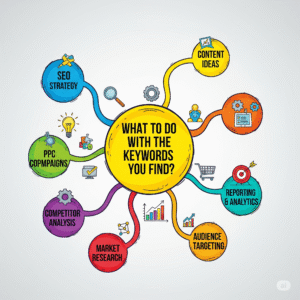
What to Do With the Keywords You Find
You’ve got options! Once you have your keyword list, you can use it in two main ways:
Option 1: Save Keywords for Later
- Check the box next to any keywords you like
- Click “Saved Keywords” to group them for future use
- You’ll also get performance estimates like impressions, clicks, and cost (handy even for SEO planning)
Option 2: Add Keywords to an Ad Campaign
- Use the drop-down menus to assign keywords to an existing Campaign or Ad Group
- Choose the match type (broad, phrase, or exact match) based on how tightly you want to target those keywords
- This is more relevant if you’re actively running paid ads, but organizing by ad group can help you structure your keyword strategy either way
How to Use the “Search Volume and Forecasts” Tool
If you already have a list of keywords, this tool is perfect for checking their search performance.
Here’s how:
- Go back to Keyword Planner
- Click on “Search Volume and Forecasts”
- Type or paste your list of keywords into the search box
– OR –
Upload a CSV file using the “Upload” button
To upload correctly:
- Your file should include a column titled “Keyword”
- You can use Google’s template to also include campaign, location, and ad group info
Once uploaded:
- Click “Start” to run the forecast
- Google will show estimated clicks, impressions, costs, and more
📝 Note: If you’re logged into a Google Ads Manager Account, make sure to select a managed account first before accessing these tools.

Boost Your Keyword Research with Jaaxy
Now that you’ve explored what Google Keyword Planner can do, let’s take things up a notch.
Here’s the truth: A lot of companies out there charge sky-high prices (yes, through the WAZOO!) to help business owners rank on Google—especially those who are just starting out and don’t know how SEO works.
That’s why I want to introduce you to a tool I personally use and love: Jaaxy.
Unlike many overhyped tools, Jaaxy gives you the data that actually matters—helping you find the right keywords, analyze your competition, and understand which search terms give you the best shot at ranking.
What Is Jaaxy?
Jaaxy is one of the most powerful (and user-friendly) keyword research tools available today.
It was built with affiliate marketers, content creators, and bloggers in mind. Whether you’re writing articles, building landing pages, or optimizing old content, Jaaxy helps you uncover the high-traffic, low-competition keywords that can actually move the needle.
There’s no software to download. It works right in your browser on both Mac and PC—whether you’re in your home office, a coffee shop, or working remotely from anywhere else.
Key Features of Jaaxy
- Keyword Discovery – Uncover profitable keywords quickly
- Competition Analysis – See how tough it is to rank for a term
- Site Rank Tracker – Track how your pages are performing in search results over time
- Search Analysis – Spy on your competitors and see which keywords they’re targeting
- Alphabet Soup Tool – Generate dozens of keyword variations based on real Google searches
- Affiliate Program Data – Perfect for affiliate marketers! Jaaxy shows which affiliate programs (like ClickBank, ShareASale, and Commission Junction) are tied to specific keywords
PRO #1: Research Keywords Anytime, Anywhere
Since Jaaxy is web-based, you can access it from anywhere—your home, the library, your favorite café, or even on vacation. No bulky software, no tech hassle. Just log in and start researching.
PRO #2: Discover Hidden Gem Keywords
Jaaxy helps you uncover low-competition, high-traffic keywords your audience is already searching for. That means more chances to rank, more clicks, and more readers who actually find your content useful.
Most offline business owners know how to network and sell in person—but getting found online is a whole different challenge.
Jaaxy bridges that gap by showing you exactly what your potential customers are typing into search engines.
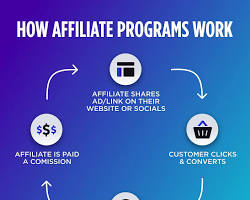
Perfect for Affiliate Marketers Too
If you’re in affiliate marketing, Jaaxy is like having a research assistant on speed dial. It not only helps you find keywords but also shows you which affiliate programs are tied to those keywords.
That way, you can choose products that are relevant and in-demand with your audience.
It’s a smart way to connect the dots between keywords, content, and income.
CONS #1: Limited Free Searches
The free version of Jaaxy gives you 30 keyword searches to test things out. While that might not be enough for deep research, it’s plenty to get a feel for how the tool works.
If you want full access, you’ll need to upgrade to a paid plan—or better yet, get it included as part of the Wealthy Affiliate Premium membership, which is what I use.
My Personal Experience with Jaaxy
I’ve been using Jaaxy for a while now, and it’s made a big difference in how I plan and write content.
I used to target broad terms like “social media”, “God”, and “biblical study”—only to find out later, through Jaaxy, that the competition was way too high. No wonder those articles weren’t getting traffic!
Now, I use Jaaxy to dig deeper and find phrases that real people are searching for, but that aren’t flooded with competition.
And the results? A steady increase in my rankings and organic traffic.
Why Jaaxy Makes a Real Difference
Let’s be honest—how can a simple 500-word blog post stand a chance against giants like Facebook, Pinterest, or Instagram when competing for popular keywords?
That’s exactly why keyword research tools like Jaaxy are so valuable.
Jaaxy has helped me approach my content more strategically.
It doesn’t just throw keywords at you—it shows you real data, like how much traffic a specific keyword might bring in.
This allows me to plan my blog growth by looking at potential visitors and how often I publish new content.
And when I go back to optimize old posts, Jaaxy gives me the clarity to make those updates count.
Who Is Jaaxy For?
If you’re selling, promoting, or simply want to be found online—Jaaxy is for you.
In the offline world, people find you by your business name, phone number, or address. But online? It’s all about keywords. Without the right ones, your content gets buried.
That’s where Jaaxy shines. It helps content creators, bloggers, and affiliate marketers create topic-driven content that matches what people are already searching for.

Tools and Training That Set You Up for Success
One of the best ways to access Jaaxy Premium is through a Wealthy Affiliate Premium membership.
That’s how I got started. I joined Wealthy Affiliate, took their Internet Marketing Certification course, and learned how to use Jaaxy for real results.
Wealthy Affiliate also offers a free starter account with a 7-day Premium trial. It’s a great way to test the waters and see if it’s a good fit for your goals.
Support That Actually Supports You
Behind Jaaxy are two real people—Kyle and Carson—who genuinely care about helping members succeed.
Even though Jaaxy is simple to use, they’ve included clear tutorials and a helpful support section if you ever get stuck.
How Much Does Jaaxy Cost?
Jaaxy offers a free plan (with 30 keyword lookups) so you can explore its features without spending a cent.
If you want more, the Pro plan is $49/month, which unlocks advanced tools like unlimited keyword research, rank tracking, and more.
Here’s a quick breakdown:
- Free Plan – 30 keyword searches
- Pro Plan – $49/month with full access
- Premium Access via Wealthy Affiliate – Included in your membership
You can also track your rankings, check domain availability, and use advanced filters to refine your keyword lists.
Frequently Asked Questions
Q: Who uses Jaaxy?
Small businesses, freelancers, bloggers, nonprofits—even government agencies use Jaaxy to guide their keyword strategies.
Q: What languages does Jaaxy support?
Currently, Jaaxy supports English.
Q: Which platforms does Jaaxy integrate with?
Jaaxy works with major search engines like Google, Bing, and Yahoo for keyword and competition data.
Final Thoughts
If you’re serious about growing your blog or online business, Jaaxy is a must-have tool.
It helps you uncover search terms that real people are typing into Google—so you can create the kind of content that actually gets found.
Whether you want to boost your SEO, attract more traffic, or validate a business idea, Jaaxy gives you the insights to make smarter decisions.
Ready to see it in action? Give the free trial a spin—you might be surprised how much ground you can cover with just one tool.
3. Keyword Tool Dominator
If you’re serious about finding keywords that actually bring in results—whether for SEO or product listings—Keyword Tool Dominator (KTD) is another tool worth checking out.
It pulls real search data from major platforms like Google, Bing, Yahoo, Amazon, Etsy, eBay, and more. With KTD, you get access to advanced features like keyword suggestions, competitor analysis, difficulty scores, and popularity rankings—everything you need to make smart keyword decisions.
Whether you’re blogging, running ads, selling on Amazon, or promoting affiliate products, this tool helps you uncover the search terms people are really using right now.
Keyword Tool Dominator at a Glance
What makes KTD different is how versatile it is. It’s not just for Google. It also helps you research keywords specifically for:
- Amazon
- eBay
- Etsy
- Walmart
- Home Depot
- Bing
- YouTube
- Google Search
This makes it a powerful option if you’re working across multiple platforms—not just blogging, but also product listings and online stores.
You’ll get insights like:
- Search term popularity
- Top 10 keyword rankings
- Long-tail keyword suggestions
- Autocomplete keyword ideas pulled in real-time
These insights are incredibly useful for optimizing your content, improving search visibility, and targeting the right traffic.
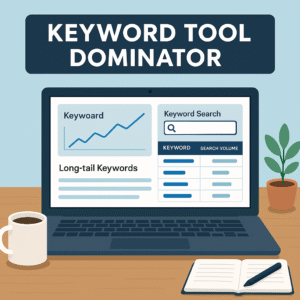
Why Use Keyword Tool Dominator?
Here’s what sets it apart:
- Free to sign up and start using right away
- Works across 9 major platforms, giving you specific keyword tools for each
- Excellent at discovering long-tail keywords that drive targeted traffic
- Real-time keyword suggestions based on autocomplete databases
- Offers popularity scores so you know which terms are trending
- Lets you download your keyword data in Excel or CSV format
- Includes product-focused tools—ideal for Amazon sellers and affiliate marketers
- Unlimited live keyword searches and downloads with a premium upgrade
- Great support and free updates included
Plus, with over 215,000 users, it’s clear that many marketers trust KTD to help them stay ahead.
Best Use Cases
Keyword Tool Dominator is especially useful if you’re:
- Selling products on Amazon or Etsy
- Running Google Ads or Bing Ads
- Building niche content for SEO
- Doing keyword research for product reviews, blog posts, or ad campaigns
- Looking for keyword ideas based on what people are actually typing into search engines
If your focus is on product listings, sponsored ads, or affiliate campaigns—this tool can help you boost conversions and rank higher in search results.
A Note on Its Limitations
While Keyword Tool Dominator is packed with value, it may not offer the full SEO suite that other premium tools provide.
For in-depth competitor tracking or complete site audits, you might find more robust options elsewhere. But for keyword discovery, especially across platforms, it’s an excellent tool to have in your toolbox.
Final Thoughts on KTD
If you’re a content creator, affiliate marketer, or product seller, Keyword Tool Dominator makes it easier to uncover what your audience is searching for—and how to reach them.
It’s beginner-friendly, powerful, and backed by real-time data from the world’s top search engines and marketplaces.
Want to give it a try? Sign up for free and see how many new keyword ideas you can uncover today.ds.
Stand Out on YouTube with Keywords
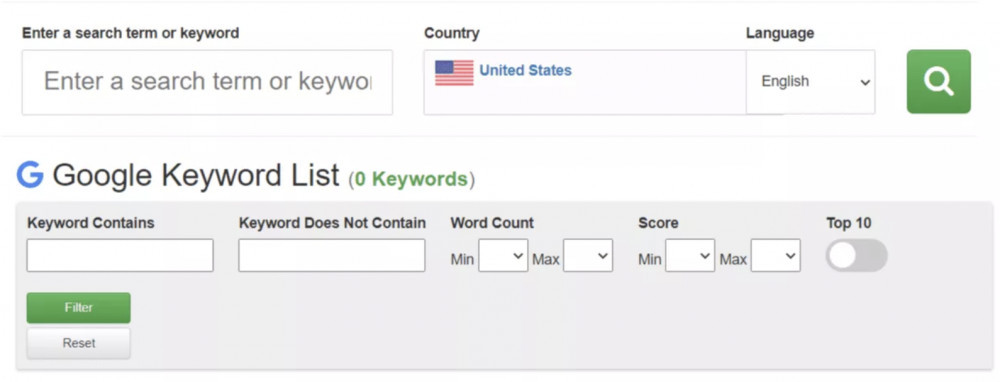
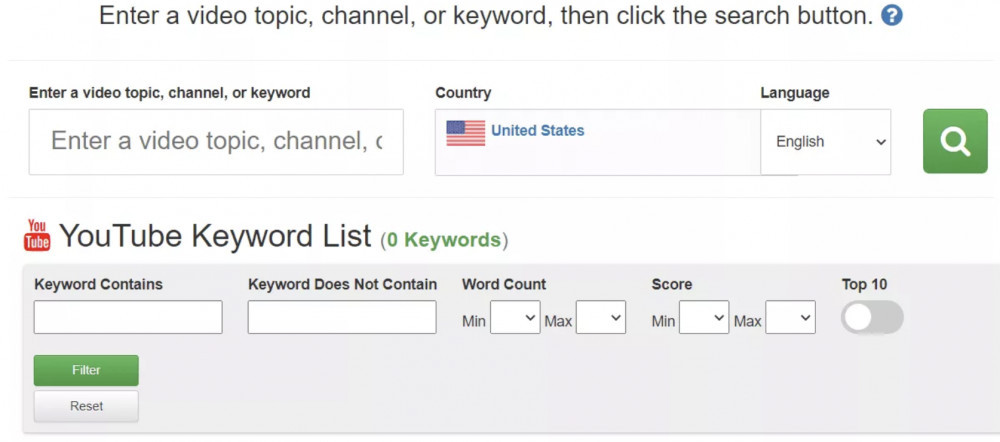
If video marketing is part of your strategy, then you’ll love what Keyword Tool Dominator offers for YouTube.
The YouTube Keyword Tool inside KTD helps you uncover the most searched terms people are typing into YouTube—giving you a serious edge when planning your video titles, tags, and descriptions.
Whether you’re running a YouTube channel, creating tutorials, or using video to promote your business or affiliate offers, this tool shows you what your audience is already looking for.
It’s perfect for:
- Content creators trying to grow their reach
- Businesses using video to explain products or services
- Marketers aiming to show up in YouTube’s search and suggested video feeds
The best part? It’s free to use, and the keyword suggestions are pulled straight from YouTube’s own autocomplete feature—so you’re not guessing what works.
Just enter a topic, and Keyword Tool Dominator will give you a list of popular, relevant keywords to target in your next video.
If YouTube is part of your traffic strategy, this tool can help you get seen—and stay seen.
Would you like to add a CTA to try the YouTube tool next, or move into a closing summary comparing all three keyword tools?
Keyword Tool for Bing Beginners
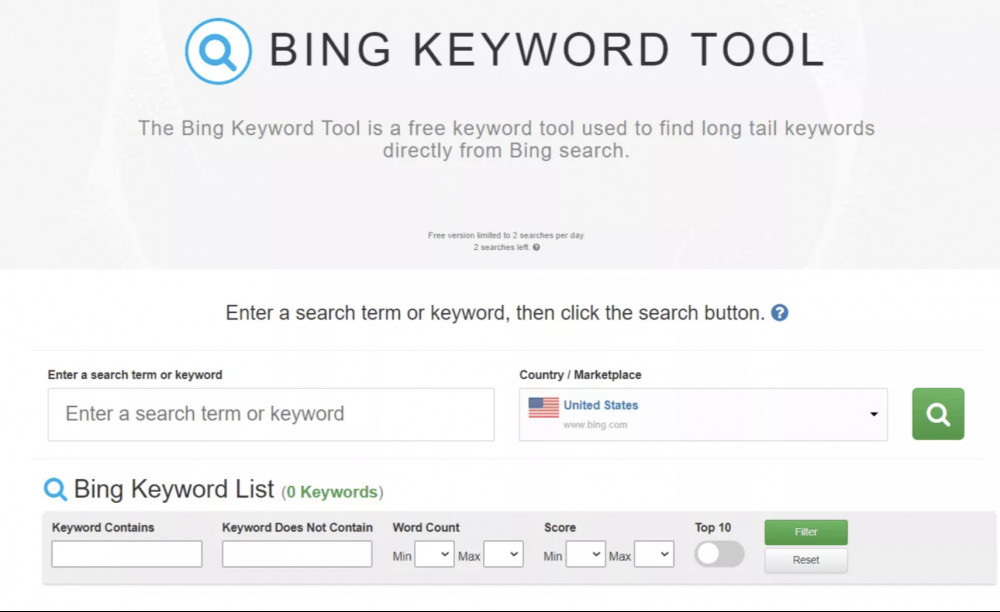
While Google gets most of the spotlight, Bing still has a loyal user base—and its search data can reveal some golden keyword opportunities.
The Bing Keyword Tool inside Keyword Tool Dominator is a great choice for marketers and bloggers who want to uncover long-tail keywords specifically from Bing’s search engine.
If you’re working with a tight budget, this free tool is a solid pick. It offers valuable keyword suggestions without the hefty price tag that many other tools come with.
Keyword research is essential for any kind of marketing—whether you’re launching a product, writing a blog post, or building an affiliate campaign.
It helps you:
- Understand what your audience is searching for
- Spot popular trends
- Discover overlooked keyword gaps in your niche
But let’s be real—keyword research can get messy fast. There’s so much data out there, and staying organized is half the battle.
That’s where Keyword Tool Dominator’s Bing tool makes life easier. It delivers a clean, straightforward list of targeted keyword ideas pulled right from Bing’s search autocomplete. No fluff—just useful keywords you can act on.
If you’re looking to expand beyond Google and tap into another stream of potential traffic, this is a great place to start.
Keyword Tool Dominator Features: What You Get
If you’re looking for a tool that’s both powerful and beginner-friendly, Keyword Tool Dominator delivers a wide set of features for keyword research across multiple platforms.
Here’s what makes it stand out:
- ✅ Comprehensive Long-Tail Keyword Search – Find deep, niche-specific phrases that attract targeted traffic
- ✅ Real-Time Results – Get live data pulled straight from autocomplete suggestions across search engines and marketplaces
- ✅ Simple Dashboard – Easy to navigate, even if you’re new to keyword research
- ✅ Budget-Friendly – Offers a free plan and a low-cost, one-time payment for lifetime access
- ✅ Access to Multiple Platforms
Run keyword searches on: - YouTube
- Bing
- Amazon
- Etsy
- eBay
- Walmart
- Home Depot
This is especially helpful if you’re doing SEO, running ads, or optimizing product listings across different platforms.
Whether you’re a blogger, YouTuber, Etsy shop owner, or Amazon seller, KTD helps you uncover keyword ideas tailored to each channel.
Plans and Pricing
Keyword Tool Dominator offers both free and paid options to fit different needs.
- 🆓 Free Plan – Great for basic keyword discovery. You’ll get keyword ideas, but not metrics like search volume, CPC, or competition.
- 💰 Pro Plan – One-time payment between $90.99 and $99.99 (depending on the tool).
Includes:- Search volume
- Trend data
- CPC (cost per click)
- Competition scores
- Unlimited keyword exports
- 14-day trial available
If you’re just starting out, the free version is a good way to explore. But if you’re serious about keyword data and scaling your content strategy, going Pro unlocks everything you need.
Personally, I’ve used the free version for quick keyword ideas and paired it with tools like Moz for deeper analysis—and it works well.
Pros of Keyword Tool Dominator
- Finds long-tail keywords you might miss elsewhere
- Great for SEO, blogging, affiliate marketing, and product listings
- Easy to use—even if you’re not tech-savvy
- Pulls keywords from platforms most tools overlook (like Walmart and eBay)
- Offers real-time suggestions based on what users are actively searching
Cons to Keep in Mind
- The free version is limited—you won’t see search volume, trends, or competition data without upgrading
- Unlike other tools, KTD doesn’t offer a 30-day trial—just 14 days
- You’ll likely need to pair it with another tool for full SEO analysis if you’re on a budget
Frequently Asked Questions
Q: How do I find niche or long-tail keywords using this tool?
Start with a short “seed” keyword—one to three words. For example, if your topic is “Bitcoin”, try entering terms like “mining bitcoin” to get more specific keyword ideas.
Q: Who uses Keyword Tool Dominator the most?
It’s popular among small businesses, freelancers, and marketers. Based on usage data:
- 99 companies with 0–9 employees
- 45 companies with 20–49 employees
- 28 companies with 10–19 employees
Q: Which industries use this tool the most?
Mainly:
- SEO professionals
- Content marketers
- Digital marketers
Q: How does KTD compare to Jaaxy in market share?
According to market data:
- Jaaxy has a 1.96% share
- Keyword Tool Dominator holds a 2.34% share and currently ranks higher in keyword tool popularity
Q: Which countries use Keyword Tool Dominator and Jaaxy the most?
KTD is most used in the US, India, and the UK.
Jaaxy has strong users in the US, UK, and Australia.
Final Thoughts: Does a Keyword Strategy Really Matter?
Absolutely.
If you want to rank at the top of Google, you need to start with the right keywords. Tools like Keyword Tool Dominator, Jaaxy, and Google Keyword Planner help you build a keyword list based on what real people are searching for.
By focusing on monthly search volume and relevance, keyword research helps you write smarter content, reach more people, and grow your traffic—without guesswork.
Want to Learn More?
If you’re ready to go further, I recommend checking out Wealthy Affiliate.
You’ll get access to:
- A free website and domain
- WordPress hosting
- Step-by-step beginner-friendly training
- Supportive community and live help
- Jaaxy included with the Premium plan
- And yes—no credit card needed to start
➡️ Click here to try it free and start building your online business today.
You could be one keyword away from your next breakthrough
I would much appreciate it if you could kindly leave your comments and questions below.
Thank You For Stopping By Once More
Thanks for reading my article
Till The Next Time
Elke 😀
Firstly, thanks very much for this article, I found it engaging and informative. However, the one thing that really caught my attention was that you mentioned the use of Google keyword planner. I know choosing the correct keywords is essential towards building traffic and better rankings. Why many beginning entrepreneurs don’t use a keyword planner system? Getting keyword ideas and research are ‘keys’ to success, along with other building tips. Great post.
Thank you, RJ, for getting back to me.
I always like feedback to see how the WA members like my articles.
Keyword research is vital if we want to rank in Google.
We also have to remember SEO.
Thanks again
Elke
Thank you for sharing your insights on the importance of keywords for SEO success and highlighting three of the top keyword tools available in the market. Your article is informative and helpful for anyone who wants to improve their website’s search engine ranking.
I appreciate the fact that you have given a detailed explanation of how to use Google Keyword Planner effectively, including the different tools available and the steps to find new keywords.
Overall, I think your article provides valuable information for website owners, bloggers, and content marketers who want to improve their search engine rankings. Keep up the good work!
Hi Anoth, Thank You for getting back to me.
I am pleased that you liked my article.
Keyword Research with SEO is crucial if we want to rank #1 in Google.
Please Share my article if you don’t mind.
All the best, and thanks again
Elke