

How to Boost Google Rankings Fast: 11 Site Fixes
We may earn money or products from the companies mentioned in this post.
Updated on the 29 August 2025
How to Boost Google Rankings Fast: 11 Site Fixes
Want quick, real movement in Google?
Start with your whole site, not just one post. The fixes below improve crawlability, speed, structure, and trust. They help every page rank better—old and new.
Goal: fast wins that lift the whole website.
Best for: site owners and bloggers managing many posts.
What you get: a practical checklist you can run this week.
Key metrics to watch: Core Web Vitals, crawl errors, index coverage, referring domains.
Quick Summary (Do These First)
- Set a baseline in Google Search Console and GA4
- Fix crawl blockers and 404s
- Improve Core Web Vitals on mobile
- Tighten site structure and internal links
- Standardize titles, URLs, and meta at scale
- Add structured data
- Optimize images across the site
- Refresh and prune weak content
- Earn a few strong, relevant backlinks
- Track progress weekly and adjust
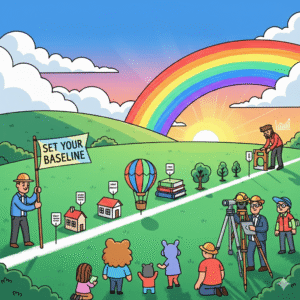
Fix 1: Set Your Baseline (So Wins Are Visible)
Why it matters
You can’t improve what you don’t measure. A clean baseline shows what changed and what worked.
How to do it
- Search Console: note Index Coverage, Pages with Warnings, Top Queries, and Top Pages. Export them.
- GA4: record sessions, average engagement time, top landing pages, and conversions.
- Speed: test 3–5 key pages on mobile with PageSpeed Insights. Save scores for LCP, INP, and CLS.
- Backlinks: record referring domains and top linking pages with your preferred tool.
What to watch
- Indexing trend, not just snapshots
- Core Web Vitals on mobile first
- New vs. returning users
- Referring domains over time
Fix 2: Remove Crawl Roadblocks
Why it matters
If Google can’t crawl or is misled, rankings stall. Clean crawl paths speed indexing and fix discovery.
How to do it
- Robots.txt: allow important folders; block only what’s meant to be private.
- Noindex tags: remove accidental noindex on live pages.
- Canonicals: keep one preferred URL per page. Avoid duplicates like
- /page/
- vs
- /page/?ref=
- 404/301: fix broken internal links. Redirect dead URLs to the best live match.
- Sitemap: submit a fresh XML sitemap in Search Console. Keep it lean and up to date.
What to watch
- Crawl errors dropping
- Index coverage rising
- Duplicate and soft-404 issues disappearing

Fix 3: Win on Speed and Core Web Vitals
Why it matters
Slow sites bleed users and rankings. Google measures real user experience. Mobile is the priority.
How to do it
- Images: compress, lazy-load, and serve next-gen formats (WebP/AVIF).
- CSS/JS: minify, defer non-critical scripts, and remove unused code.
- Caching/CDN: enable server caching and use a CDN to cut distance.
- Fonts: limit variants and preload the primary one.
- Templates: reduce heavy sliders or bloated page builders on templates.
What to watch
- LCP under ~2.5s
- INP responsive and consistent
- CLS stable layouts, especially on mobile
Fix 4: Make Mobile the Best Experience
Why it matters
Most searches start on phones. If the mobile page is clunky, people bounce. Google sees that.
How to do it
- Responsive basics: readable font sizes, clear spacing, easy tap targets.
- Above-the-fold value: show the value fast—no giant banners.
- Navigation: keep it simple. Use a clean mobile menu and breadcrumb links.
- Pop-ups: keep them small, easy to close, and delayed.
- Testing: check on a real phone. Fix anything that feels annoying.
What to watch
- Mobile engagement time
- Mobile Core Web Vitals
- Bounce/exit on key mobile pages

Fix 5: Tighten Site Structure (So Google Understands You)
Why it matters
A clear structure helps Google see your themes and your best content. It also helps readers find what they need.
How to do it
- Hubs and spokes: pick core topics (hubs). Link related posts to the hub and to each other (spokes).
- Categories: fewer, stronger categories beat many weak ones.
- Breadcrumbs: add them and keep labels short.
- URL format: use short, clean slugs. Keep words that match the topic.
What to watch
- Hub pages gaining impressions and links
- More pages ranking for related queries
- Deeper average page depth without hurting speed
Fix 6: Build an Internal Linking System
Why it matters
Internal links pass context and authority around your site. They help new pages rank faster.
How to do it
- From strong pages to new ones: link from top performers to fresh or weak pages that need help.
- Use descriptive anchors: write natural phrases that reflect the target page.
- 3–5 links per post: add relevant links in the body, not just footers.
- Update old posts: when a new guide goes live, find 5 older posts that should link to it.
What to watch
- Target pages gaining impressions and clicks
- Crawl depth improving (pages reachable in fewer clicks)
- Reduced reliance on the homepage for link equity
Fix 7: Standardize On-Page Elements at Scale
Why it matters
Consistent titles, URLs, and meta help search engines trust your site. It also improves click-through rates.
How to do it
- Titles: one clear promise per page. Lead with the main keyword or phrase.
- Meta descriptions: write a simple benefit and a hint of the outcome. Keep it compelling.
- H1/H2s: reflect search intent and match what readers want.
- URLs: short, readable, keyword-aligned. Avoid dates unless necessary.
- Duplicates: one page per intent. Merge or redirect cannibalized pages.
What to watch
- Higher CTR from impressions
- Fewer duplicate titles and metas
- Better alignment between query → title → content

Fix 8: Add Structured Data (So Google Gets Richer Context)
Why it matters
Schema helps Google understand your pages and can unlock rich results. That improves visibility and clicks.
How to do it
- Site-wide: Organization, Website, and Breadcrumb schema.
- Content-type: Article for posts; FAQ or HowTo where it genuinely fits.
- Local: add LocalBusiness if you serve a geographic area.
- Validation: test with a structured data tool and fix warnings.
What to watch
- Rich result eligibility
- Higher visibility for FAQs/HowTos when appropriate
- Fewer schema errors over time
Fix 9: Optimize Images and Media Across the Site
Why it matters
Images are often the biggest files on a page. They can drag speed down or become a traffic source—your choice.
How to do it
- Naming: use descriptive filenames (e.g.,
- keyword-descriptor.webp ).
- Alt text: describe the image in natural language. Keep it relevant.
- Formats: default to WebP/AVIF with a fallback if needed.
- Dimensions: serve images at the size you display them.
- Sitemaps: include an image sitemap if you publish visual content often.
What to watch
- Smaller page weight and faster LCP
- Image search impressions
- Fewer layout shifts from oversized media
Fix 10: Refresh, Consolidate, or Prune
Why it matters
Outdated or thin pages sap crawl budget and dilute authority. Clean catalogs rank better.
How to do it
- Refresh winners: update stats, add a new section, improve screenshots, and republish.
- Consolidate overlaps: merge similar articles into one stronger guide. Redirect the weaker URL.
- Prune dead weight: if a page has no clicks, no links, and no purpose, redirect or remove it.
- Fix cannibalization: pick the best page for a keyword and support it from others.
What to watch
- More impressions per remaining URL
- Faster gains after updates
- Better average position on core topics
Fix 11: Earn Quality Backlinks and Brand Mentions
Why it matters
Quality links matter more than quantity. A handful of strong, relevant ones can make a bigger impact than hundreds of weak ones.
How to do it
- Link gap check: see which sites link to competitors but not you. Pitch those with your best resource.
- Original assets: publish a useful dataset, calculator, or template. Reference it in outreach.
- Guest insights: offer a short, unique perspective to industry blogs. Link to a relevant guide.
- Local and niche directories: add your site to reputable, human-edited lists in your niche.
- Partnerships: swap expert quotes with peers. Each quote can earn a contextual link.
What to watch
- Referring domains rising
- Links to key hub pages, not just the homepage
- Rankings improving for pages that receive links
How to Run This Plan in One Week
Day 1–2: Find and fix blockers
- Baseline exports from Search Console and GA4
- Robots, sitemap, 404/301 fixes
- Submit any important URLs for re-crawl
Day 3: Speed and mobile
- Compress and lazy-load images
- Defer non-critical scripts
- Test mobile experience on a real device
Day 4: Structure and links
- Create or update hub pages
- Add 3–5 internal links on 10 existing posts pointing to hubs
- Add breadcrumbs if missing
Day 5: Standardize on-page
- Tighten titles, metas, and URLs on your top 20 posts
- Remove duplicates and set redirects
Day 6: Schema and media
- Add Organization, Website, Breadcrumb schema
- Convert heavy images to WebP/AVIF on top pages
Day 7: Refresh and outreach
- Update one high-potential article
- Pitch two relevant sites or newsletters with your best resource

What “Fast Results” Looks Like
You won’t jump to #1 overnight. But you should see signs within weeks:
- More pages getting indexed
- Higher CTR from tighter titles and metas
- Faster mobile speeds
- Early ranking gains for hub and internal-linked pages
- New referring domains from simple outreach
Keep going. Momentum compounds as your structure, speed, and signals improve.
Troubleshooting: If Rankings Don’t Budge
The issue
You made changes, but nothing moved.
What to check
- Crawl: are key pages discovered and indexed?
- Intent: does the page match what the SERP shows today?
- Competition: do top results have stronger links or better resources?
- Depth: does your page fully answer the main query and related questions?
- Load time: did mobile LCP and INP actually improve?
Next steps
- Strengthen the hub. Add a missing section or a comparison table.
- Earn one or two relevant links to the hub.
- Add internal links from evergreen posts with steady traffic.
- Refresh screenshots, data, and examples.
Simple Reporting Template (Repeat Monthly)
- Traffic: sessions, top landing pages, engagement
- Coverage: valid pages, errors, warnings
- Speed: LCP/INP/CLS for 5 key templates
- Content: pages refreshed, pages merged, pages pruned
- Links: new referring domains, top pages earning links
- Wins: pages that climbed; what caused it
- Next: the three actions for the coming month

Final Take — Summary
You don’t need to tear down your site and start from scratch to see better rankings. What matters is giving Google a clean, clear path to understand your content.
That means improving crawlability, boosting mobile speed, and keeping your site structure tidy.
Consistency in titles, metas, and on-page signals builds trust with search engines, while a few high-quality links carry more weight than dozens of weak ones.
Tackle the 11 fixes step by step, then keep an eye on your metrics. The real secret is in the ongoing adjustments—fine-tuning as you go.
Over time, these small, site-wide improvements stack up, moving your rankings higher without guesswork or overwhelm.
Why This Works
- Clean crawling: Google finds more of your pages, faster.
- Fast mobile: users stay longer, signals improve.
- Clear structure: Google understands your topics and which pages matter most.
- Consistent on-page: titles, headers, URLs, and meta line up with search intent.
- Strong links: a handful of relevant links can lift entire topic hubs.
This Week’s Action Plan
- Crawl & index: fix 404/redirects, refresh XML sitemap, remove accidental noindex.
- Speed: compress images, lazy-load, defer non-critical JS, enable caching/CDN.
- Mobile UX: readable fonts, simple menus, no intrusive popups.
- Structure: set hub pages; link related posts to hubs and to each other.
- On-page standards: short keyword-aligned titles/URLs; compelling meta; clear H2/H3s.
- Schema: add Organization, Website, Breadcrumb; use FAQ/HowTo only where it fits.
- Images at scale: WebP/AVIF, descriptive filenames and alt text, correct dimensions.
- Content quality: refresh winners, merge overlaps, prune dead weight.
- Internal links: add 3–5 relevant links per post; update older posts to point to new ones.
- Backlinks: close easy gaps—resource pages, niche directories, HARO/quotes.
- Measure: log baseline today and compare weekly.
Metrics That Prove Progress
- Core Web Vitals (mobile): LCP, INP, CLS moving the right way.
- Coverage: more valid indexed pages; fewer errors/warnings.
- CTR: improved titles/metas lift clicks from the same impressions.
- Engagement: longer time on page; deeper pages per session.
- Links: steady growth in referring domains to hubs and key guides.
Common Pitfalls
- Chasing big redesigns instead of fixing fundamentals.
- Stuffing keywords or duplicating topics (cannibalization).
- Ignoring mobile speed and UX.
- Adding schema that doesn’t match the content.
- Publishing once and never refreshing.
What to Expect
As these fixes stack, discovery improves, pages load faster, users stay longer, and authority grows.
Rankings rise because the whole system gets better—crawl → render → understand → trust. Keep iterating, and momentum builds.

Ready to Lift Your Rankings? Here’s Your Next Step
Want help putting these fixes into action? Wealthy Affiliate gives you the training, tools, and support to make site-wide SEO changes the right way—without guesswork.
Why Wealthy Affiliate Fits This Guide
- Step-by-step lessons that match the 11 fixes
- Managed WordPress tools that support speed and security
- Keyword research (Jaaxy) for smarter targeting
- Checklists, live classes, and community help when you’re stuck
- Actionable feedback so improvements stick
What You Can Start With (Free)
- Core SEO and blogging lessons
- Website builder and hosting tools to test safely
- Community Q&A and expert walkthroughs
- Templates for content, on-page SEO, and internal links
Make Progress This Week
Use the lessons to set your baseline, tighten structure, speed up mobile, and standardize on-page—then track results in Search Console. Simple. Repeatable. It works.
✅ Pros and ❌ Cons
Pros
- Step-by-step training: Clear lessons that match your 11 site fixes. Easy to follow.
- All-in-one toolkit: Hosting, website builder, and Jaaxy keyword research in one place.
- Actionable checklists: Standardize titles, URLs, schema, and internal links.
- Supportive community: Fast answers when you get stuck. Real examples from members.
- Regular updates: Training stays current with what works now, not last year.
- Good for beginners: Plain language, screenshots, and no tech jargon.
- Scales with you: Works for one blog or many posts across a site.
Cons
- Monthly cost: Subscription required for full features; budget matters.
- Time commitment: You still need to do the work. Results take consistency.
- Learning curve: New tools and terms at first. Expect a settling-in week.
- Not instant rankings: Training helps, but Google still needs time to respond.
- Community noise: Lots of threads; you’ll need to filter for the best advice.
- Tool overlap: If you already pay for other SEO tools, you may duplicate features.
Bottom Line
If you want guided, hands-on help to apply site-wide SEO the right way, Wealthy Affiliate fits. If you need a free, tool-only path or expect overnight rankings, it won’t match your expectations.
❓ Frequently Asked Questions
1) Will Wealthy Affiliate really help with site-wide SEO, not just writing?
Yes. The training covers technical basics, Core Web Vitals, internal linking, and on-page best practices. You also get tools and checklists so you can apply the 11 fixes across your whole site, not just a single post.
2) I’m not a tech person. Can I still do these fixes?
You can. Lessons break tasks into small steps, with screenshots and plain language. When you get stuck, you can ask the community or follow a walkthrough. Small actions add up fast.
3) I already use WordPress elsewhere. Do I need to move my site?
No. You can keep your current host and still use the training and community. If you ever want managed hosting, you can migrate later. Start with the lessons; the platform is optional.
4) How soon will I see results after using the 11 fixes?
Early signs can show in weeks—better indexing, faster pages, higher CTR. Bigger lifts take time. Keep measuring in Search Console and GA4, refresh key pages, and stay consistent.
5) What do I get with the free start at Wealthy Affiliate?
You can access core SEO lessons, build a site to test, and ask questions in the community. It’s a safe way to try the process before you commit to more features.
Take the Next Step Toward Higher Rankings
Still wondering if these fixes can work for you?
The best way to find out is to try them.
Wealthy Affiliate gives you the tools, step-by-step lessons, and a community ready to help you apply the 11 site fixes we covered.
You don’t have to figure it out alone—and you can start for free.
I would much appreciate it if you could kindly leave your comments and questions below.
Thank You For Stopping By Once More
Thanks for reading my article
Till The Next Time
Elke
I initially didn’t know that Google had so much to do with our blog. But I have learned that to be able to monetize our content, a good way to do it is rank well on Google. So, I have been trying to get better rankings, but so far, it has been hard. I will follow your suggestions. Specially using the On-Page SEO checker!
Thank you for your comment, Ann,
Yes, it can be hard to rank #1 on Google. It took me a while to get organised but keep ongoing. It will happen.
I also use https://tinyurl.com/yj8p45fy . It is called Headline Studio, which helps a lot to get ranked on Google.
They have a free version to get your headlines checked and a paid version that will give you an SEO score as well.
I wish you the best of luck
Thanks again
Elke
Every business that has a website wants to be on the first page of Google and other search engines, as it is the only way to get eyes on your site and therefore traffic. So if one can improve your Google rankings, it will be fantastic.
Search engine optimization (SEO) forms an integral part of building a website and creating content. Using Google Analytics and Google Search Console can be very useful to see where you visitors are coming from and how they access your site. These tips are very helpful to improve one’s rankings in Google.
Thank you, Line, for your comment,
Yes, what you have written is very accurate; we need customers to our site, and ranking #1 on Google is the best way to achieve that. Google Analytics and Search Console are definitely great platforms to use.
Thanks for your comment again
Elke
Wow, this is a well-detailed and very informative article. This is the information every blogger or content creators need to improve their online performance especially beginners like me.
My aim while creating content is for my content to be acceptable to google standards in order to rank. I learned a lot from this, especially about image alt text, I honestly have not been doing it well.
Thank you for sharing this information-packed article.
Thank you for your comment, Bethel,
I am glad I could help you with this article I am always out to find useful information which is helpful and useful to others.
Yes, we can learn a lot from each other we always have to give detailed and original material so others can learn from it.
Thanks again
Elke